This is the print version of this page. All content is copyright Indezine.com 2000-
2026.
Everything about PowerPoint programming including VBA, VSTO, and more.
See Also:
PowerPoint and Presenting Notes
PowerPoint and Presenting Glossary
Do you want to remove all animations from your slides? You may want to remove animations for a variety of reasons: maybe the sequencing is all messed up, and starting all over again seems like a great idea. But one look at your Animations task pane reveals tens or hundreds of animations on each slide. Is there a magic button somewhere in PowerPoint that can get rid of all animations altogether?
Yes, you can do this easily in PowerPoint using some simple VBA code, as John Wilson of PowerPoint Alchemy explains. John adds that this only removes animations from individual slides, and not any animations added within the Slide Master.
Filed Under:
Programming
Tagged as: John Wilson, PowerPoint, Programming, Snippets, VBA
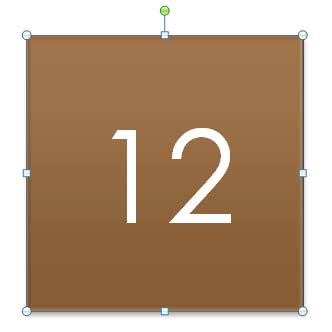
Do you want a random number generator for your PowerPoint slide? Do you want some numbers from a chosen sequence of numbers to pop up every time you click? Yes, you can do this in PowerPoint using some simple VBA code, as Steve Rindsberg of PowerPoint FAQ explains.
First you need to know how you can run VBA scripts in PowerPoint. Then use this code. Explore the code a bit though since Steve has put in some helpful comments so that you can edit some values as required.
Filed Under:
Programming
Tagged as: PowerPoint, Programming, Snippets, Steve Rindsberg, VBA
VBA stands for Visual Basic for Applications and is a programming language subset of Microsoft Visual Basic. With VBA, users can control several options in programs such as PowerPoint that support VBA. Most versions of PowerPoint on Windows do support VBA while the same is not true for most Mac versions of PowerPoint. Thus, this post assumes you are using a Windows version of PowerPoint or another Office program.
Most Microsoft Office applications such as Word, Excel, and PowerPoint work with VBA. There is an extensive amount of information available online, including at the Microsoft site about VBA. There are also many VBA users who are always ready to help others. You can find many questions about VBA in Microsoft Office applications answered in the Microsoft Answers forums.
Filed Under:
Programming
Tagged as: Programming, VBA
Do you want to take the plunge and get started with programming in PowerPoint? Perhaps you want to run a macro someone else created for you? Or you dream to create a full-blown add-in that millions can use? These programming resources will help you. But before we give you a list, wish you all the best!
Here are some resources about PowerPoint programming.
Filed Under:
Programming
Tagged as: Learn, PowerPoint, PowerPoint Programming Resources, Programming, VBA
Comments Off on Resources on PowerPoint Programming and VBA
Have you created a Spirograph as a child, or even later? If you don’t know what a Spirograph looks like, the picture below may refresh your memory.

Yes, Spirograph is one of those brands like Xerox that have lesser-known, technical names. Spirographs are essentially Hypotrochoids or Epitrochoids. Even with such technical words, Spirographs can be fun, especially when you don’t have to draw with ball point pens on paper, and can do it instead on a PowerPoint slide!
Filed Under:
Programming
Tagged as: PowerPoint, Programming, Shyam Pillai, Snippets, Spirograph, Spirographs in PowerPoint, VBA
Comments Off on Create Spirographs in PowerPoint Programmatically
Microsoft and the Office logo are trademarks or registered trademarks of Microsoft Corporation in the United States and/or other countries.