
This is the print version of this page. All content is copyright Indezine.com 2000-
2026.
Have you created a Spirograph as a child, or even later? If you don’t know what a Spirograph looks like, the picture below may refresh your memory.

Yes, Spirograph is one of those brands like Xerox that have lesser-known, technical names. Spirographs are essentially Hypotrochoids or Epitrochoids. Even with such technical words, Spirographs can be fun, especially when you don’t have to draw with ball point pens on paper, and can do it instead on a PowerPoint slide!
You can create Spirograph in PowerPoint quite easily, but it takes time and effort. My friend Shyam Pillai, who is a PowerPoint programming guru stepped in and said I could create Spirographs so much faster programmatically using this code:
If you don’t know how to use macro snippets or scripts inside PowerPoint, look here to get started easily.
Sub CreateSpirograph()
Dim oShp As Shape
Dim I As Single
Const ROTATION_INCREMENT = 5  'Rotation Increment
Const ROTATION_MAX = 360 'Max rotation
'Select a shape on the slide and then run this
Set oShp = ActiveWindow.Selection.ShapeRange(1)

For I = ROTATION_INCREMENT To ROTATION_MAX Step ROTATION_INCREMENT
    With oShp.Duplicate
        .Rotation = I
        .Left = oShp.Left
        .Top = oShp.Top
    End With
Next
End Sub
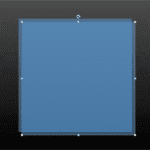
Remember you need to have some shape selected before you run this code.
You can change the ROTATION_INCREMENT and ROTATION_MAX values to get different graphs for your Spirographs in PowerPoint.

Shyam Pillai was a Microsoft PowerPoint MVP. His site has many VBA snippets, plus free and commercial PowerPoint add-ins. Among his well-known add-ins for PowerPoint are Image Importer Wizard, SecurePack, Sequential Save, and Shyam’s Toolbox.
Want to create Spirographs without the programming code? Look at our Spirographs in PowerPoint tutorial.
The views and opinions expressed in this blog post or content are those of the authors or the interviewees and do not necessarily reflect the official policy or position of any other agency, organization, employer, or company.

Filed Under:
Programming
Tagged as: PowerPoint, Programming, Shyam Pillai, Snippets, Spirograph, Spirographs in PowerPoint, VBA
Comments Off on Create Spirographs in PowerPoint Programmatically
Microsoft and the Office logo are trademarks or registered trademarks of Microsoft Corporation in the United States and/or other countries.